Lingosive on your phone: learn from videos and books
The Lingosive app for iPhone, iPad and Android brings the idea behind the Chrome extension to your phone. Watch videos with the original subtitles and a translation underneath, tap any word to see what it means, save it, and review it later with flashcards. It's free to download, and the words you save sync with the extension.
Free to download. Premium is an optional in-app subscription.
What you can do in the app
Videos with dual subtitles
A library of YouTube videos chosen for learners: series and film clips, podcasts, talk shows and lessons, filtered by level. Turn on the translation line to see each subtitle in your language under the original, slow the video down or repeat a line. Videos are available in English, Spanish, French, German, Italian, Portuguese, Russian and Japanese.
Tap any word
Tap a word in the subtitles to see its translation, hear it and save it. Once you've set your level, words are colour-coded as known, learning or above your level, so the new ones stand out. Japanese subtitles can show romaji.
A book reader
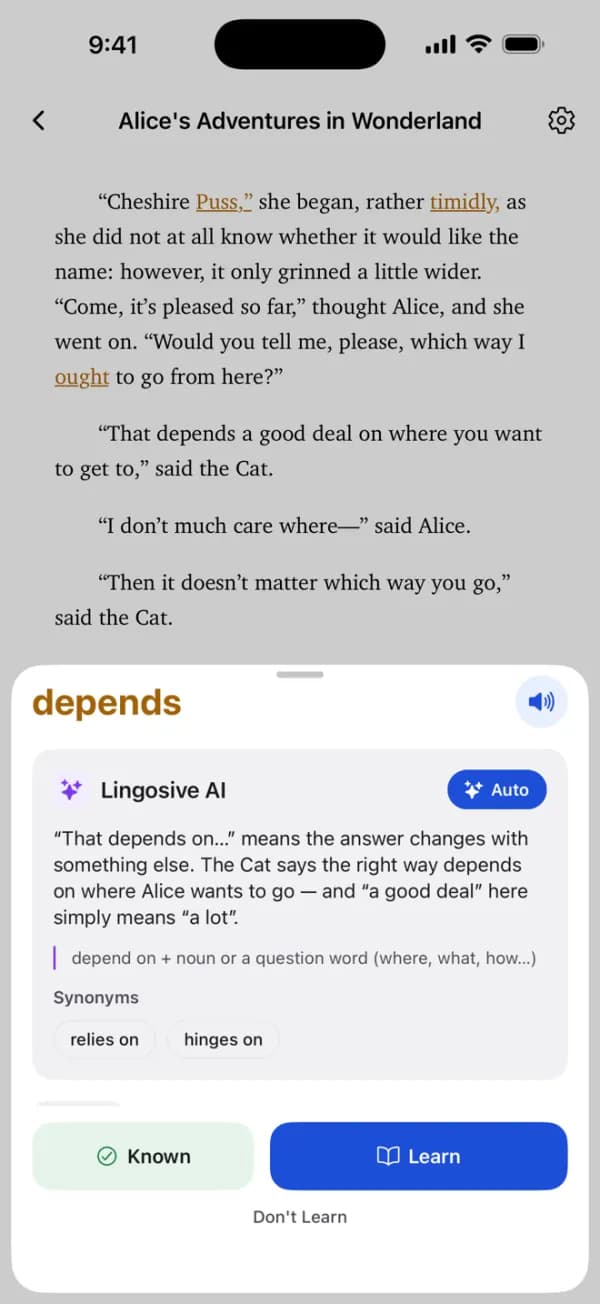
Read books in English, Spanish, French, German, Italian, Portuguese and Japanese with the same word card: tap a word for its meaning and save it. The first 20 pages of every book are free.
Lingosive AI
Ask for an explanation of a word in its sentence: what it means there, a short grammar note when it helps, and a few synonyms. The free plan includes 10 explanations a day.
Flashcards that space themselves
Saved words come back in flashcard sessions scheduled with FSRS spaced repetition: meaning and word quizzes, typing and listening cards, and the word's video scene when there is one. Flashcard practice covers the same 8 languages as the videos.
Word in Film
Type a word and watch short scenes where it's said, from movie and series clips, talk shows and other YouTube videos. In the app it works for English, Spanish, French, German, Italian, Portuguese, Russian and Japanese, and the free plan includes 3 searches a day.
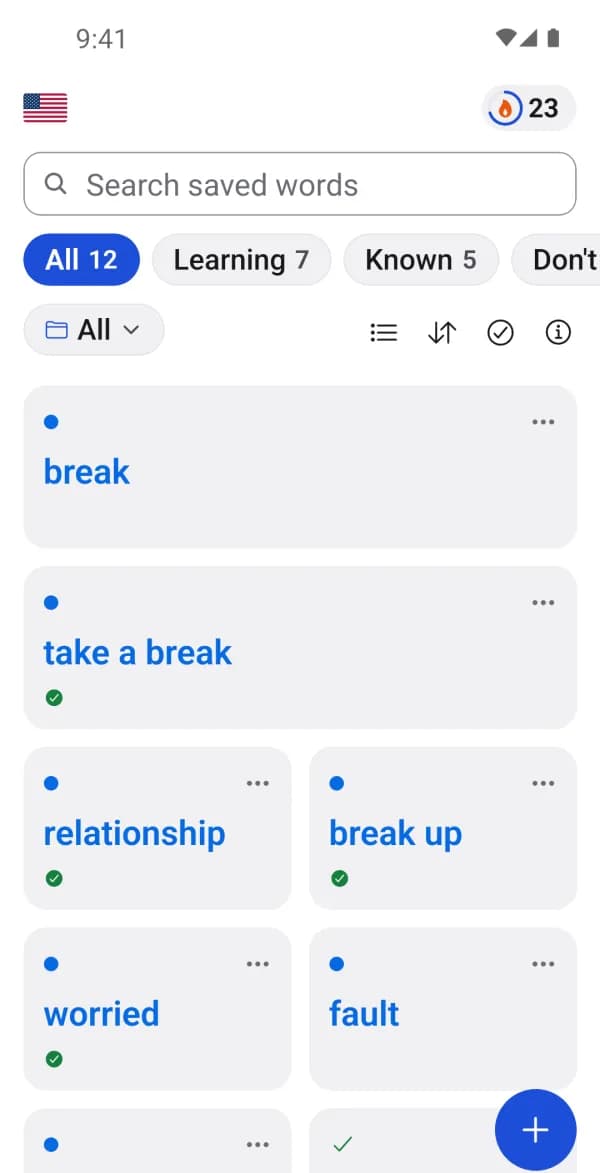
One word list on every device
Sign in with Google, Apple or email, and the app uses the same account as the Lingosive Chrome extension and the web learning center. A word you save while watching Netflix on your laptop shows up in the app's word list, ready for your next flashcard session on the phone.
What about Netflix and other streaming apps?
Lingosive doesn't work inside the Netflix, Prime Video, Disney+, HBO Max or YouTube apps on your phone, and no browser extension does, because phone apps can't run extensions. Dual subtitles on those services need the Lingosive extension in Chrome, Edge, Brave or another Chromium browser on a computer.
The app handles the phone side differently. It plays its own library of YouTube videos in its own player, with subtitles you can tap. Study with the app on the bus, keep watching your shows on the laptop with the extension, and keep one word list for both.
Free plan and Premium
- 5 minutes of video a day
- The first 20 pages of every book
- Up to 100 saved words
- 10 AI explanations a day
- 3 Word in Film searches a day
Premium is an optional subscription you buy in the app. It removes the daily video limit and the cap on saved words, opens every book in full, and also removes the daily limits for AI explanations and Word in Film.
What the app doesn't do
- It doesn't play Netflix, Prime Video, Disney+ or HBO Max, and it can't add subtitles inside those apps.
- Videos come from the app's own library. You can't add a YouTube link or your own video files.
- There's no offline mode. Videos stream from YouTube, so you need a connection.
- There's no Anki or CSV export of saved words.
- There's no pronunciation scoring.
Getting started
- Install Lingosive from the App Store or Google Play.
- Pick your own language and the one you're learning, then sign in with Google, Apple or email.
- Open a video, turn on the translation line and tap the words you don't know.
- Open flashcard practice when your saved words are due for review.
Already use the Chrome extension? Sign in with the same account and the words you've saved there are already waiting in the app.
Frequently asked questions
Is the Lingosive app free?
Yes. It's free to download from the App Store and Google Play, and the free plan comes with the daily limits listed above. Premium is an optional in-app subscription.
Does it work on iPad and Android tablets?
Yes. The iOS app runs on iPhone and iPad with iOS 16.4 or later, and the Android app runs on Android phones and tablets with Android 7.0 or later.
Can I watch Netflix with dual subtitles on my phone?
Not with Lingosive, and not with a browser extension of any kind: phone apps don't run extensions. On your phone, use the app's own video library. For Netflix, Prime Video, Disney+ and HBO Max, use the Chrome extension on a computer.
Do my saved words sync with the Chrome extension?
Yes. The app, the extension and the web learning center share one account, so words you save in one place show up in the others.
Which languages can I learn in the app?
You can save words in 13 languages, and the app's interface comes in the same 13. Videos, flashcard practice and Word in Film are available in 8 of them: English, Spanish, French, German, Italian, Portuguese, Russian and Japanese. Books come in 7, all of those except Russian.
Keep exploring
- Word in filmSee any word used in real movie scenes.
- Lingosive for ChromeDual subtitles on YouTube, Netflix, Prime Video, Disney+ and HBO Max in desktop Chrome.
- Language Reactor on Android & iPhoneIs there an app for Android or iPhone? What works on a phone, with sources.
- Dual subtitlesDual subtitles show two languages at once. How to get them on Netflix, YouTube, Prime Video, Disney+ and HBO Max, and what works on a phone or TV.
Get Lingosive on your phone
Free to download. Premium is an optional in-app subscription.
Lingosive is an independent product and is not affiliated with, endorsed by or sponsored by YouTube, Netflix, Prime Video, Disney+, HBO Max, Apple or Google. App Store, Google Play and all other product names are trademarks of their owners.